
HazardHub features
Workplace hazard reporting from discovery to resolution.
HazardHub brings guided assessment, evidence, corrective action, case history and professional reporting together in one private, local-first workspace for iPhone and iPad.
Guided assessmentsComplete case managementProfessional reportsPrivate on-device records
One connected workflow
Not another form-filling app.
HazardHub is designed around the life of the case. Record the hazard, assess the risk, capture evidence, decide what needs to happen, track corrective work and retain a clear record when the case is complete.
Guided hazard assessments
Capture the facts while they are still in front of you.
Build a structured case from the point of discovery. HazardHub guides you through the details that matter without turning the process into paperwork.
- Record the hazard, location, category and description
- Add photographic evidence from the camera or photo library
- Assess likelihood and severity
- Review the calculated risk level before the case is created
- Flag immediate danger when urgent action is needed

ASSESSMENTEvidence capturedStructured evidence, on the spot
PRIORITYClear risk outcomeClear next steps from the assessment
Complete case management
Keep active risks visible until the work is finished.
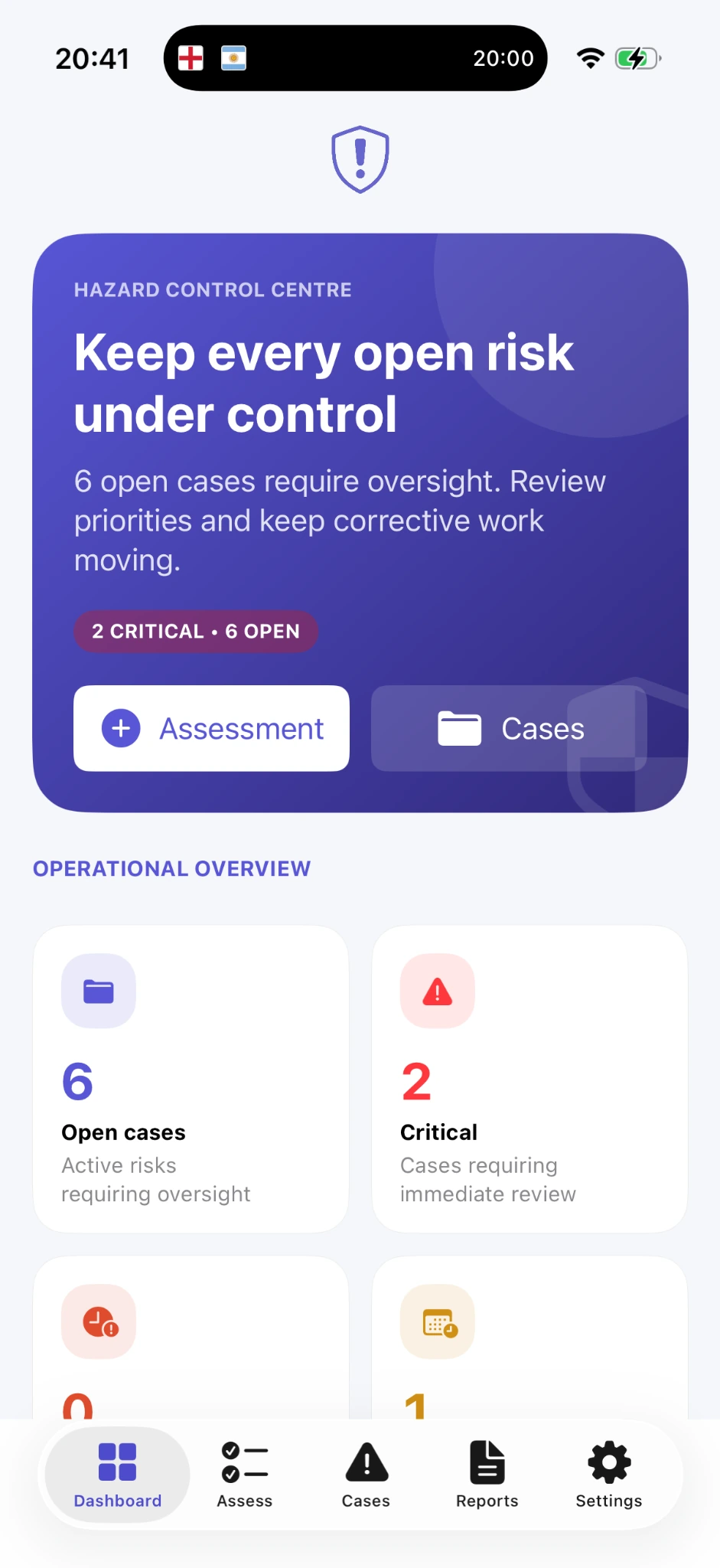
The Hazard Control Centre gives you an immediate view of what requires attention and keeps the full case history connected from initial assessment through to closure.
OpenActive cases requiring oversight
CriticalPriority cases needing immediate review
DueCorrective work approaching its deadline
- View open, critical and resolved cases
- Track corrective actions and progress
- Record temporary controls and permanent solutions
- Add notes, observations and progress updates
- Maintain a clear activity history
- Close the case when corrective work is complete
Detailed solution plans
Turn a finding into a plan people can actually review.
HazardHub can structure the information in a case into a clearer plan for decision-making and follow-up. Recommendations remain subject to professional judgement and site-specific procedures.
Immediate actions
What should be done now to control the immediate situation.
Temporary controls
Interim measures while permanent work is being arranged.
Permanent solutions
The corrective outcome intended to remove or reduce the risk.
Likely causes
Useful context to support investigation and prevention.
Investigation questions
Prompts that help reviewers identify what still needs to be established.
Management summary
A concise view of the case for review and decision-making.
HazardHub supports better-informed decisions. It does not replace a competent risk assessor, qualified professional, legal advice, emergency services or your organisation’s approved safety procedures.
Professional reporting
The case should still make sense when someone else reads it later.
Create clear, review-ready reports from the information already held in the case. The report is not an afterthought — it is the professional record of what was identified, assessed and done.
- Case overview and reference details
- Hazard description and assessment results
- Immediate and corrective actions
- Management summary
- Evidence photographs
- Notes and case history
- Preview, export and share when required
Case overview

Executive summary
Structured case details, assessment and recorded control measures presented together.
Evidence and corrective work

01Immediate controlRecorded complete
02Permanent solutionIn progress
Chronology
- Hazard identified
- Risk assessed
- Action recorded
- Evidence updated
- Report generated
Official regulatory guidance
Useful guidance, without pretending the app is the regulator.
HazardHub can surface relevant information from approved government and regulatory sources based on hazard category and region, helping you find the official material that may be relevant to the case.
01Select the hazard category
02Find relevant official sources
03Review guidance alongside professional judgement
Official guidance remains available without a HazardHub Pro subscription.
Private and local-first
Your safety records remain under your control.
No account is required for the core workflow. Core case data and reports stay on the device, with protection and backup options available when you need them.
No account required
Start using the core app without registration or team linking.
Local case data
Core case records are stored locally on your device.
On-device reports
Reports are generated on the device rather than sent away for processing.
App Lock
Protect access using Face ID, Touch ID or the device passcode.
Portable backups
Create local backup files and store them wherever you choose.
Private iCloud backup
HazardHub Pro can protect the latest workspace and support restoration after device loss or replacement.
HazardHub Pro
Advanced tools when you need more.
HazardHub Pro brings together intelligent planning features, private iCloud backup, enhanced protection options and the premium tools that support a more resilient workflow — while core official guidance remains available without a subscription.
One workspace. More capability. Fewer loose ends.
PRO
Keep the whole case together.
 Download on the App Store
Assessment, evidence, corrective work, guidance and professional reporting — without losing the thread of the case.
Download on the App Store